Friday, October 11, 2013

Blog Post #8


21st Century Learning and 
Communicating Tools

After we leave EDM310 we will have to figure out where to start to learn how to use new tools that will become available in great numbers in the future.

This is what group Raphael discovered

Glogster
By: Amanda Weller

  • Creativity is Learning

As I researched 21st century learning and communicating tools I came across an online learning tool called Glogster, also known as “Glog.” With Glogster you can do the following:
  • Engage your students
  • Inspire curiosity
  • Excite learners
  • Connect Everything
Glogster is a social network that allows users to create free interactive posters. “Glog,” is short for “graphics blog,” which is an interactive multimedia image. Glogster looks very similar to a poster, however readers can interact with the given content. Glogster provides an online environment to design and create interactive posters. When creating a Glogster you can insert:
  • Text
  • Images
  • Photos
  • Audio
  • Videos
  • Special effects
The posters can be shared with other users on the site and it can also be embedded in other sources. You can integrate dynamic multi-sensory resources into traditionally text-oriented tasks.
  • Glogster was first launched in 2009
  • Glogster allows teachers and students to use glogs as instructional aids

I found a wonderful example of a well organized Glogster:
This is Traci Blazosky’s Glogster for her first grade class. I found this Glogster to be an amazing source for her students! Traci’s Glogster was organized by:
  • A video of her introducing you to her Glogster
  • A chalkboard that you can click to view the daily schedule
  • Another chalkboard for special schedules
  • Weekly news and homework
Traci’s Glogster also listed her email for contact purposes. You can scan through and click each individual session to see what Glogster is all about!

By: Heather Smith

What is Voki?
Voki is a FREE service that lets you:
  • Create customized avatars (talking characters)
  • Add voice to your Voki avatars.
  • Customize Avatars to look like historical figures, cartoons, animals, and even yourself!
  • Post your Voki to any blog, website, or profile.
  • Take advantage of Voki's learning resources.

What is Voki Classroom?
A classroom management system for Voki
  • Students do not need to sign up!
  • Add and manage your Classes & Students!
  • Control students’ privacy settings!
  • Lesson pages automatically created!
  • Customized appearance & instructions!
  • Get unlimited email support!

What’s with the Name?
Voki is a combination of the words “vox” and “Loki”.
  • “Vox” is the Latin term for voice.

  • Loki is a Norse god from Norse mythology. Loki is a trickster who has the ability to change his shape. Fitting name since Voki gives students and teachers the ability to change the character’s appearance and add a voice!

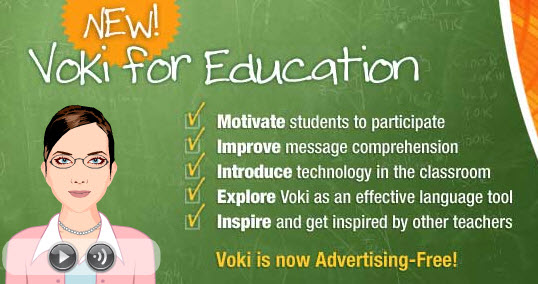
    I could use Voki when teaching by taking advantage of the cartoonistic features that kids love, by searching for and creating customized lesson plans, and by keeping the interest of my students through this 21st century tool. I expect that first graders will absolutely love this tool. It motivates students to participate, improves comprehension,  introduces technology to students, and most importantly, it inspires them! I chose this tool because I believe it is very beneficial and will be useful in the classroom. I also believe that my students will love watching and creating using Voki.

Brain Pop
By: Lisa Smith


Founded in 1999, BrainPOP® creates animated, curricular content that engages students, supports educators, and bolsters achievement. Their award-winning online educational resources include BrainPOP Jr. (K-3), BrainPOP, BrainPOP EspaƱol™ , and, for English language learners, BrainPOP ESL™. BrainPOP is also home to GameUp, a free educational games portal for the classroom.

In traditional, blended, and "flipped" learning settings, BrainPOP supports individual, team, and whole-class learning. At school and in informal learning environments, our characters help introduce new topics and illustrate complex concepts. The Mixer™tool lets users tailor their assessments to meet all students' needs. A great fit for mobile learning and BYOD classrooms, BrainPOP’s educational apps have been downloaded millions of times and lauded in countless reviews.

All of their resources are fully supported by BrainPOP Educators, free teacher community. The content is mapped to the Common Core, aligned to academic standards, and searchable with our online Standards Tool. BrainPOP is easy to use, with no downloading, installation, or special hardware required.


BrainPOP was conceived by Avraham Kadar, M.D., an immunologist and pediatrician, as a creative way to explain difficult concepts to his young patients.


Lisa's Thoughts: 
This tool could be used in grades k-6. It is a great way for students to study while learning in the process. This site is very engaging and can be used in multiple subjects. It’s almost like a “one stop shop” in education. I chose BrainPop because I know that kids already enjoy playing games and with BrainPop, learning is made into a game. The site is fun and will keep the student engaged. The benefit that I have found in using BrainPop would be higher grades because students will study and learn the material while playing on this site.      


By: Briann Smith


As I have started my journey to become a teacher I have learned quite a lot of information. One of the new things that I have learned about is the Common Core Standards. What are Common Core Standards, you ask?  The Common Core Standards are a set of clear educational standards for kindergarten through 12th grade in English language arts and mathematics. These standards help teachers ensure their students have the skills and knowledge they need to be successful by providing clear goals for student learning. As I have continued to learn about the standards and the criteria that go along with them, I have wondered how teachers will incorporate them effectively in their classrooms. I have also thought about how teachers can adequately keep up with all of the standards and make sure that all of their students are actually learning them. As I was researching 21st century learning and communicating tools I came across the online learning and communicating website, Mastery Connect.


Mastery Connect is an amazing online tool for teachers. This online tool allows teachers to participate in a learning community. They can set up a personal learning network and public profile for free. The site also includes a news feed, that keeps the teachers up to date with the latest things in education and it includes the activities of the other teachers that they follow.  It is overflowing with tools and resources for teachers. It is also built around the Common Core Standards. The website has convenient State and Common Core Standard links. This allows for teachers to focus on teaching and assessing the core standards. Mastery Connect includes the following resources and tools:


  • Curriculum  Maps- Mix and match standard sets, create custom standards, and easily drag and  drop  standards into any sequence.

  • Mastery Tracker -  shows current student understanding relative to Common Core and/or state standards.

  • Free Common Core App – all of the standards in one convenient app, that can be downloaded by educators and parents. Get it on iOS, Windows, and Android.

  • Integrated Standards and Resources – Easily view resources and content tied to both state and
            Common Core standards.

  • Standards based Student Reports– Integrated standards-based reports provide real-time information about mastery to students and parents.

  • Class, school, and district level reporting tools – This makes  it easy for teachers and administrators to compare and collaborate data driven by common assessments and compare that data to benchmark  level data.

  • Gradebook/ SIS Export – Automatically export scores to ANY gradebook or Student Information System.

  • GRADECAM Bubble Sheet  Scanning– Scan plain paper bubble sheets right from your web or document camera and grade instantly!


Mastery Connect also has a creation and sharing center for Common Core assessments as well. This saves the teachers time and allows them to share assessments of any curriculum type including multiple choice, open-answer, rubrics, writing and oral assessments. The teachers can discuss and collaborate using the discussion tools. Teachers can download and modify teacher created resources for their own personal classroom use. Another great tool that Mastery Connect has is Resource Tools. Resource Tools includes interactive boards where teachers can pin and re-pin to their boards. They can create a collection of pins for any subject based on  the documents,
videos, and websites that they come across. The pin tool also allows teachers to pin resources according to the Common Core Standards.

             Mastery Connect is a great tool that I would definitely use when I become a teacher. I would use it to create my Personal Learning Network to collaborate and communicate with other teachers. The Mastery Connect tool would also benefit me for the Common Core Standards. I would track my students progress and knowledge of assessments that correspond with the standards. The GradeCam Bubble sheet would also be beneficial to me as a teacher, it would help me to scan and grade my student’s papers quickly. I would expect great things from this tool with all of its amazing qualities. I am sure that I could connect with teachers nationwide and share and collaborate with them on Common core based assignments and lesson plans. I would also expect all of the apps and grading software to work smoothly and efficiently. The reason why I chose this resource tool and liked it so much was because it really focused on the Common Core Standards. I have never seen a online resource like Mastery Connect that provides teachers with the resources and support system that’s foundation is the Common Core Standards. It allows teachers to use the  support and expertise of fellow teachers. Overall Mastery Connect is a great tool for teachers and I will absolutely use this as a resource when I become a teacher!


Thursday, October 10, 2013

Project #9

Podcast Video
Group Name: Raphael

 Created By: Amanda Weller, Heather Smith, Lisa Smith, Briann Smith


C4T#2


Name: Jenny Luca
Jenny's Blog Link: http://jennyluca.com/
Name of Blog: School's Out Friday
Link of Blog: http://jennyluca.com/2013/09/20/schools-out-friday-268/
Date of Blog: September 20, 2013

Jenny's Blog: 
Jenny posted a video to her blog so you could view the world from an eagle's perspective.


My Comment: 
Hey Jenny! My name is Amanda Weller and I am a student in EDM 310 at the University of South Alabama. Your video was awesome! I have never experienced a video with such detail. Honestly, I have never even thought of what the world would look like from an eagles perspective. I actually watched the video a few times. This is one of the coolest videos I have ever seen and I will definitely present this to others! Thank you for sharing!

Name: Jenny Luca
Jenny's Blog Link: http://jennyluca.com/
Name of Blog: Gearing up: Chromebook Classroom- GAFE Summit Presentation
Link of Blog: http://jennyluca.com/2013/10/03/gearing-up-chromebook-classroom-gafe-summit-presentation/ 
Date of Blog: October 3, 2013

Jenny's Blog: 
In this blog Jenny used a Google presentation to present topics about Chromebooks at the Google Apps for Education Conference in Melbourne. Her presentation covered all of the approaches that Google offers and why you may use this source in your school. After viewing her presentation Jenny wants you to have an idea of how Chromebooks works.

A Youtube video that Jenny used in her Google Presentation:


My Comment: 
Hey Jenny,
My name is Amanda Weller and I am a student in EDM 310 at the University of South Alabama. I loved your presentation! I always use Google Chrome as my search engine, but I never knew all of the qualities Chromebooks has to offer. I really liked how you introduced in your presentation the qualities that Chromebooks has to offer for different computers. The Youtube videos that you inserted were very useful and helpful. Wonderful presentation! Thank you for sharing! 


Sunday, October 6, 2013

Blog Post #7

1. Project Based Learning Part 1: Experiences of a 3rd Grade Teacher 


By: Heather Smith, Amanda Weller, Briann Smith, and Lisa Smith 


What Can We Learn From These Conversations with Anthony Capps? 

Dr. Strange and Anthony Capps, a third grade teacher at Baldwin County Elementary School in Gulf Shores, Alabama, talk about Project Based Learning: How Anthony approaches being a PBL teacher, what it involves, how he gets ready for it, and what happens in his class as a result.

Capps says that his ideas about PBL are constantly evolving, as are Dr. Strange’s. Many people tend to think that projects are what you do at the end of a lesson plan to show the students have learned what they are supposed to have learned, but the goal of PBL is not only a MEANS to show students have ACHIEVED what you need them to have ACHIEVED, but it is a MEANS to get them to LEARN what y
ou need them to LEARN. Get students excited and wanting to own their learning because they are creating something as they discover the knowledge. According to Capps, which I completely agree, the goal of a project: 

  • uses an authentic audience,
  • keeps students interested, 
  • involves the community, 
  • and most importantly is driven by content. 

Capps has also taught me that when you are thinking about PBL, you should think: What project could I create that will give students the opportunity to need to know the content that I need them to know? In other words, in order to complete a project, the student has to know the content in which state requires them to know. 

He gives an excellent example of PBL he used in his own class. He had his students use iCurio to research female or minority historical figures that demonstrated success in a military capacity even when this was uncommon. They then had to decide whether they agreed with or opposed the decision for women to serve in open combat. They used the information obtained to support their opinion. They then wrote letters to their congressman addressing their view and giving support by example. Capps stated he had 28 students in his class, but through student reflection and selection, they chose 8 to mail to the congressman. They had no trouble choosing because all the students were invested and felt they were all represented. This PBL project had the students excited and interested; was content driven because it met the writing, reading, and social studies state standards; and was directed toward the community because it addressed an issue in a public form to a public official. 

Capps has taught me that in order to efficiently approach and utilize PBL in the classroom, one must make sure that they create a project that will give students the opportunity to learn the content that they need them to know. I have also been taught that PBL is a democracy in grading and reflection. The key to PBL, actually the most crucial part of PBL, is to revise and reflect on the work done!


2. Project Based Learning Part 2

By: Heather Smith, Amanda Weller, Briann Smith, and Lisa Smith 


Anthony Capps and Dr. Strange remain in collaboration in regards to Project Based Learning. Anthony shares pieces of his classroom with the viewer to give them an idea of what Project Base Learning consists of. The project in Mr. Capps class was to research the culture of Afghanistan. One parent in the military did not want their child studying about Afghanistan. Mr. Capp had to make accommodations for this student. The student was given a science project to do while the other students in the classroom focused on the Afghanistan project. The science project was a great asset to the classroom learning experience.

Student choice is a great aspect of Project Base Learning. Never limit your students with giving them exactly what you want them to do. Create an opportunity for them to go beyond what you want them to do. 

When giving a project you must make sure that each part has meaning. It is like each part of the project feeds into the next part. The student gets rewarded by getting to advance to the next step of the project. By doing this order you give the student meaning to what they are set out to accomplish. I know that from experience if you are being respected as a student that your work will show it. This happens to be the same case with project base learning. You are given choices and it is up to you to complete them. If you do not do your part and are unwilling to buy into Project Base Learning then this type of learning experience may not work for those students. 


3. iCurio

By: Heather Smith, Amanda Weller, Briann Smith and Lisa Smith


The iCurio Video with Anthony Capps and Dr.strange was really interesting to watch and it included valuable information about the site iCurio. In the video Anthony Capp and Dr. Strange shared their thoughts about iCurio and how they both used the site in their classrooms. Mr. Capps is a third grade teacher at the Gulf Shores Elementary School. He often incorporates the site iCurio in his classroom. In his words iCurio is an online tool that serves many purposes. iCurio is a curated search engine for students. This means that it allows students to safely search websites,images, and videos on subjects that correlate with the Alabama College and Career Ready Standards and other state standards. The site also has a storage capacity for students and teachers. This aspect of iCurio allows students and teachers to store the content that they find valuable. This helps teachers and students to become more organized, especially in virtual organization. The students can create folders for different topics and videos and any other valuable information they find on the sites’ sources. This is excellent for the students because it is kid friendly and easy for them to use and they can practice using Virtual organization and saving folders on the web. This feature also has the ability to save and this allows the students to continue from where they left off. 

The iCuro site is also great for projects and research topics. It has many safe sources and websites that are made available for the students. The site has a directory that makes it simple and fast to find the information needed on a certain topic. In the directory, the students can find information on people, places, and events that are from all over the world. For instance if a student needed to complete a project on a female figure that contributed to the Civil Rights Movement, they could type into the directory,female figure and Civil Rights Movement. The criteria that they typed into the directory would bring up sources on people such as Rosa Parks and other women.The directory tool allows the students to get access to reliable information in the safety of the iCurio site. iCurio also provides a large number of videos, graphs, graphics and texts that students can use in their projects. Mr. Capps believes that iCurio is for any teachers that feel comfortable letting their students search the web. iCurio has information and sources for all grades , all the way through high school. iCurio is also a great source for all students because of its accessibility. iCurio has read aloud features that are available for deaf and blind students and for students that have a learning disability. This was a great video on explaining the features of iCurio. The information that was provided was really helpful. I learned about several features that I did not even know about. It was also nice to hear examples from a teacher that actually uses iCurio in the classroom and how his students use iCurio as well. The video proved to be very interesting and helpful.


4. Discovery Ed

By: Heather Smith 


In Dr. Strange and Anthony Capp’s youtube video, Discovery Ed, Capps talks about this tool that is made available to teachers (at least in Baldwin County) that contributes to his classroom in that it allows students to: retain more knowledge through visual learning, have extensive group conversations, learn from experts through video, and have illustrations to support the text they are using. Discovery Ed brings many educational resources to just one site. 

Dr. Strange adds that there has been research done that indicates people remember more of what they hear than what they have read. People remember far more than that when they see it. And even more shocking: people remember even more when they watch it in progress. He refers to students as “listener-watchers” because he says that students listen and watch far more than they read and write. The goal of a teacher is to convert people into not just consumers of products, but into users and producers of those products. 

I think that Dr. Strange and Anthony Capps both give great points on Discovery Ed, though they could be a little more in depth about what it actually is. So, I researched Discovery Education myself, and this is what I came up with from their website: “Discovery Education transforms classrooms, empowers teachers and captivates students by leading the way in providing high quality, dynamic, digital content to school districts large and small, rural and suburban and everything in between.” “Discovery Education is committed to improving teaching and learning by transforming traditional classrooms into engaging digital learning environments. Discovery Education Techbook™, a series of dynamic all-digital textbooks in science, social studies, and math, brings learning alive.” “Engaging, standards-aligned rich media and interactive digital textbooks, coupled with professional development and assessment services, take students beyond the classroom.” “Discovery Education offers a breadth and depth of digital media content that is immersive, engaging and brings the world into the classroom to give every student a chance to experience fascinating people, places, and events. All content is aligned to state standards, can be aligned to custom curriculum, and supports classroom instruction regardless of the technology platform.” “Implementation of Discovery Education impacts the way an educator teaches, providing them the digital content and the professional development to transform classroom instruction into an immersive, experience that inspires a student's natural curiosity. Discovery Education impacts the way students learn, breaking down barriers and moving beyond static textbooks to a digital delivery they already embrace. However, accelerating student achievement is the ultimate result we all want to reach. Discovery Education has worked with school districts across all sizes and demographics and consistently delivers results.” 


#6. Don’t Teach Tech- Use It

By: Heather Smith


What Can We Learn From These Conversations with Anthony Capps? 

We are all considered students of technology because we are all constantly learning and shifting our technological thinking to new directions. Children are natural with technology- regardless if they come from low or high income areas- they enjoy using technology to improve their learning. In Don’t Teach Tech- Use It, Anthony Capps and Dr. Strange talk about using Technology in the classroom. Capps says that teachers should NOT teach technology, they should NOT have technology on their list of things they need to get done a given day. Teachers should, however, scaffold technology when designing projects and assignments. How does Capps suggest implementing technology into projects/ assignments? 

  • Week One: Let students use ONE research tool, talk about the content and how technology either impeded or helped them.
  • Week Two: Couple that research tool with video tool. Now two skills are mastered.
  • Week Three: Have students do a research project that requires a movie component that combines the two skills- this is known as scaffolding. Students can now show they have mastered these two skills by sharing their work.

There is tons of technology available but it is crucial to focus on ONLY ONE at a time, review it, and continue using it in the learning environment. 

What are some benefits of using technology in the classroom? 

  • Students can express themselves.
  • Students can create for free.
  • There is not the demand to purchase more and more supplies.
  • It’s clean, mess-free!
  • It’s very shareable.
  • Gives students the tools they will be able to build on forever.
  • Gives students that ability to reflect on their mistakes in order to learn how to do something better for a more beneficial product in the future.


To Sum Up What We Can Learn From Anthony Capps, NEVER teach technology! Introduce it smartly. Don’t worry about spending a great deal of time teaching students to use technology, this comes natural to them, instead give them the opportunity. Do not expect perfection, either. There are two critical things educators in the 21st Century should teach their students beyond the content: how to ask valuable questions AND problem-solving skills. If a teacher does a project themselves, before assigning it to students, then they understand why the student is asking a particular question and they can figure out the answer together using problem-solving.


 5. Anthony- Strange Tips for Teachers Part 1

By: Lisa Smith 


The Anthony- Strange Tips for Teachers Part 1 video is a very informative and helpful video for future and current teachers. Anthony Capps and Dr. Strange shared their thoughts as to what teachers starting out should know upfront to be the best teacher they can be for their students. Together they came up with 6 different ideas that would help assist new teachers and put them on the right path. 

First, you have to be a constant learner. You must be willing to learn all the time no matter if you are at school or not. Never stop learning because it will result in failure. Teachers must be interested in learning themselves, this helps the teacher but, also it helps the students. Teachers must be able to model effective learning behaviors for their students. Students learn by examples, if the teacher is constantly trying to learn new things, then the students pick up on this. 

Second, teaching is hard work that is never ending but it is very rewarding. Just think about when we teach our students something and they are finally able to recall it. There is nothing that can beat that feeling of accomplishment for both the student and the teacher. It is hard work being a teacher and the work does not stop at the end of the day when school gets out, it continues on. Anthony said it best that, “teachers learn the craft of teaching in their free time.” An example of this includes reading books that provide valuable information that can help you in the classroom. Teaching involves hard work but, it can also be exciting and fulfilling. 

Third, be flexible. If you already have children of your own you should already be aware of this. You can plan all you want but hiccups are going to happen so be prepared for “plan b”. 

Fourth, start with a goal. If you start with a goal you will be able to see how much you have accomplished. It is important to remember if the lesson is not going as planned, figure out a way to still get what you need out of the process. We can’t do everything today but if we organize and prepare, it will run more smoothly. 

Fifth, engage 100% of your students, 100% of the time, in 100% of their projects. This will keep the students aware that you are aware of their progress and will also allow for any feedback needed from both the student and teacher. It is important to provide the students with an environment that makes them feel comfortable to engage with each other and to share their thoughts . In the lesson plans, include interesting content and content that the students care about. As a teacher it is crucial to think about different ways to get the whole class involved and most importantly engaged.

Last, we need to learn to reflect, revise, and share work with an audience. We must learn to not be afraid of the work we have done. We must also learn to take constructive criticism. All of these things will make us stronger teachers in the long run and help our students to succeed and achieve more in the classroom. 


7. Additional Thoughts About Lessons:

By: Amanda Weller


In Anthony Capps last youtube video discussion, he talks about his thoughts on lesson plans. He described lesson plans as being four layers thick and with each layer meaning something different. However, each layer has its own unique importance. The first layer of lesson plans is described as the “year layer”. In the “year layer”, you discuss how the lesson plan fits into that year and you go over all the content standards. The second layer is the “unit layer”. In the “unit layer”, you have to ask yourself if the unit projects are segregated in a way that is meaningful? These activities need to spread out over a brief period of time. You can not expect your students to complete these activities in a day or so. Anthony mentioned that it usually takes up to 6-8 weeks for the provider of the lesson and the students to comprehend the given material. The third layer is all about separating the projects so they can be done weekly. The last layer is the “daily lesson plan”. This calls for how you will be delivering the lesson or material to your students. The goal is to make sure that the students are actively engaged in the lesson. These four unique components come together to form the lesson plan.